

Interactions
1. Overview
Interactions are a simplified and easy-to-use way to interact with end-users, when trying to express a message like letting the user know that the robot is waiting for some input, that it’s processing info or that the battery level is low.
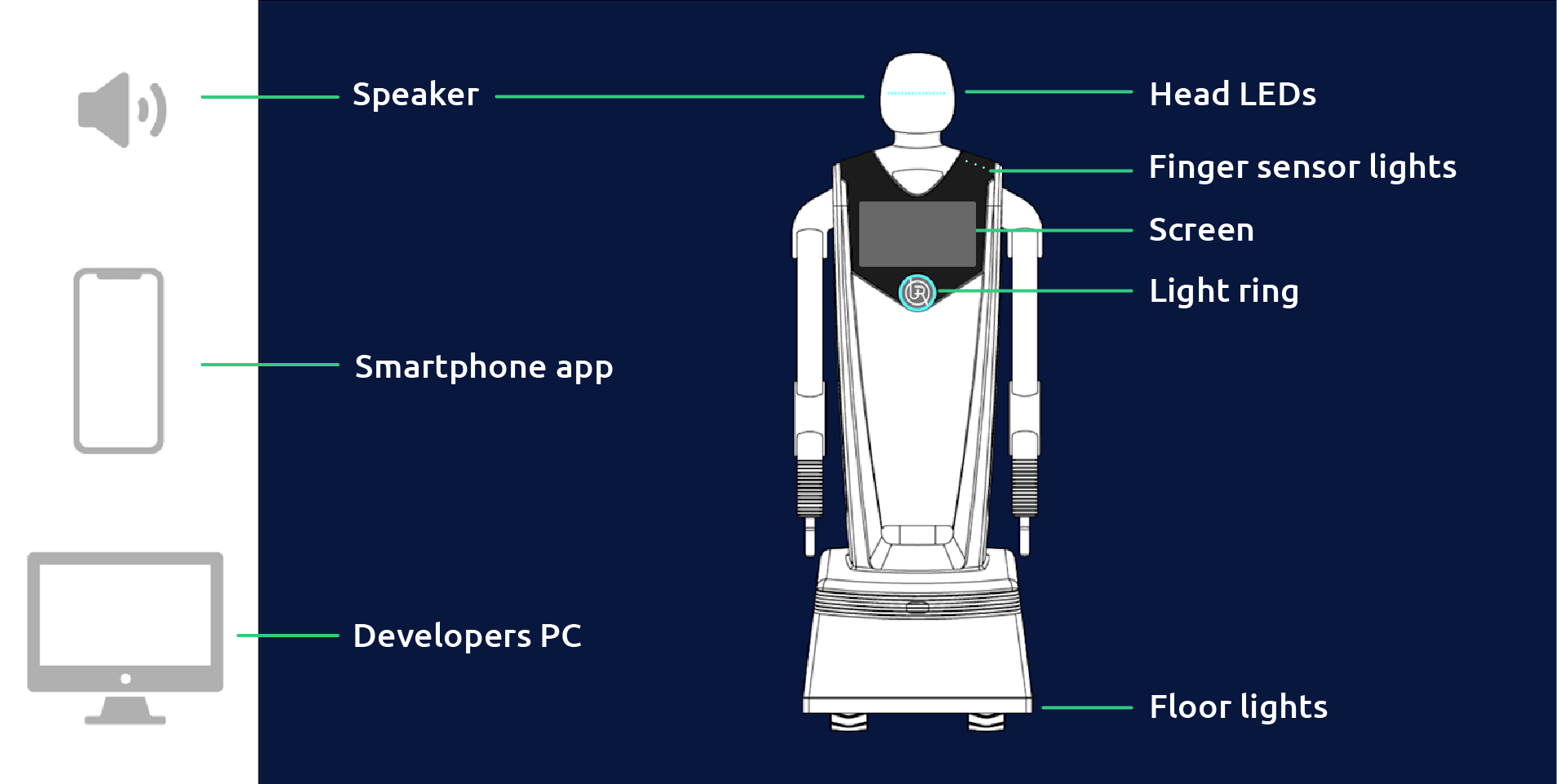
Due to the amount of communication outputs that the robot have (sound, head leds, chest leds, movements, touch screen, etc..), it can be complex to create a clear and simple interaction message. That’s exactly the reason we developed the interactions controller - to use all those communication methods together, scheduled in an optimized way to pass the message clearly.
2. Interactions types
interaction name |
outputs involved |
meaning |
more info |
|---|---|---|---|
task_received |
head leds, sound, chest leds |
the robot received an instruction (whether it is a task to perform or some other input that motivates an action on Gary’s behalf). |
|
task finished |
head leds, sound, chest leds |
indicates that the robot completed a task/command/function. |
|
performing_task |
head leds, chest leds |
an interaction used to show that the robot is busy performing something |
3. Using the controller
from raya.application_base import RayaApplicationBase
from raya.logger import create_logger as LogLevel

class RayaApplication(RayaApplicationBase):
    async def setup(self):
        self.interactions = await self.enable_controller('interactions')
        ...
controller methods: