

display_action_screen()
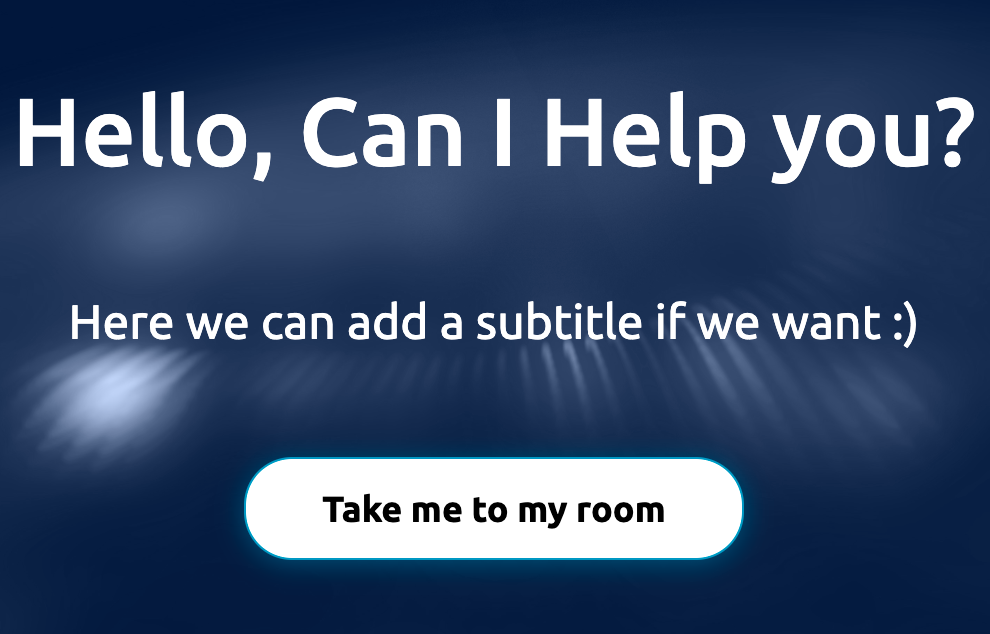
This function displays a call-to-action screen.
Call-to-action (CTA) component is used in your app to guide users towards your goal conversion. It’s the perfect component when the user needs to click in order to take the action you want them to take. Some of the most popular usages for this component are ‘Welcome screen’ and ‘Confirmation screen’.
Reference
Explore more about this component here
Arguments
Arguments |
Type |
Default Value |
|
|---|---|---|---|
title |
string |
Title of the screen (mandatory) |
|
title_size |
enum |
|
Size of the title |
subtitle |
string |
subtitle of the screen (optional) |
|
button_text |
string |
text of CTA button(mandatory) |
|
show_back_button |
bool |
False |
Show a button to go back |
back_button_text |
string |
“Back” |
Text of the back button |
button_size |
int |
1 |
Button size (1 = SMALL, 2 = MEDIUM, 3 = LARGE) |
languages |
list |
None |
list of languages available for selection on the screen |
chosen_language |
any |
None |
the language chosen for the screen (from languages list) |
theme |
enum |
|
Enum to define the theme of the screen, check |
custom_style |
dict |
None |
Dictionary containing custom styles for the modal (optional) |
wait |
bool |
True |
Bool indicating to wait for user response (optional) |
callback |
callable |
None |
Callable function to handle the response (optional) |
See the complete list of enumerations.
Return
Dictionary that contains the action performed by the user. The first key-value pair will be ‘action’ : ‘button_clicked’.
Exceptions
RayaUIMissingValueRayaNeedCallback
See the complete list of ui exceptions and the complete list of general exceptions.
Callback Arguments
callback
Argument |
Type |
Description |
|---|---|---|
data |
dict |
Dict containing the result of the action |
Example
...

class RayaApplication(RayaApplicationBase):

    async def setup(self):
        self.UI = await self.enable_controller('ui')
        ....

    async def loop(self):
     ....
        response = await self.UI.display_action_screen(
            title="Hey there!",
            subtitle="Good morning",
            button_text="Let's start",
            theme=THEME_TYPE.DARK
        )
        self.log.info(response)
      ...

    async def finish(self):
      ...

...
"""
This shows:
{'action': 'button clicked'}
"""